How to Deliver Mastery in Primary Computing: Coding, Computational Thinking, and Online Safety Across KS1 and KS2
Computing in the primary school has evolved far beyond basic keyboarding drills or passive word processing. Under the National Curriculum for England and the National Centre for Computing Education (NCCE) framework, primary computing is an intellectually rigorous academic discipline. It introduces children to foundational computational concepts that shape the modern digital world: algorithmic thinking, logic, iterative debugging, data structures, computer networks, and responsible digital citizenship.
Yet many primary classroom teachers report feeling underprepared to teach computing. Without specialist computing backgrounds, practitioners often struggle to distinguish between superficial digital activity (such as using an educational app) and authentic computer science (such as designing an algorithm to control physical hardware). Furthermore, balancing high-order block and text-based coding with the statutory requirements for online safety and digital literacy can feel overwhelming within crowded timetable constraints.
This comprehensive guide provides primary teachers, computing subject leads, and senior leadership teams with an evidence-informed pedagogical architecture for achieving true curriculum mastery in computing from Early Years Foundation Stage (EYFS) through Key Stage 1 and Key Stage 2.
1. The Three Strands of the National Curriculum for Computing
The statutory National Curriculum programme of study categorises computing into three interconnected strands. High-quality computing curricula maintain an intentional balance across all three domains rather than focusing exclusively on coding.
1. Computer Science (CS)
Computer science represents the intellectual engine of the subject. It encompasses how digital systems operate, how computers represent data in binary states, how instructions are executed sequentially by central processing units (CPUs), and how algorithms solve complex problems. At primary level, pupils do not need to memorize low-level machine architecture; rather, they master the mental discipline of algorithmic thinking: decomposing problems, identifying abstract patterns, designing logical steps, and systematically debugging erroneous code.
2. Information Technology (IT)
Information technology focuses on purposeful application. Pupils learn to operate software and digital devices to create, store, retrieve, manipulate, and present digital content. This includes creating vector and bitmap graphics, recording and editing multi-track podcasts, building relational databases and spreadsheets with mathematical formulas, and formatting collaborative cloud-based documents.
3. Digital Literacy (DL) & Online Safety
Digital literacy concerns culture, communication, and safety. Pupils learn to evaluate digital information critically, recognizing sponsored content, algorithmic bias, and manipulated media. Crucially, digital literacy encompasses statutory online safety: navigating online relationships, protecting personal data, maintaining physical and mental health in digital environments, and understanding the legal and ethical implications of copyright and intellectual property.
2. Computational Thinking Pedagogies: Unplugged and PRIMM Methodologies
To teach computer science effectively, practitioners must move away from trial-and-error "tinkering" where children blindly click code blocks until something works. Computing mastery requires intentional pedagogical strategies that make abstract computational thought visible.
The Six Computational Thinking Concepts and Approaches
The National Centre for Computing Education (NCCE) and Barefoot Computing define the computational thinking toolkit through six core concepts and five core approaches:
| Computational Concept | Classroom Translation & Primary Definition |
|---|---|
|
1. Logic & Logical Reasoning 2. Algorithms 3. Decomposition 4. Patterns & Pattern Recognition 5. Abstraction 6. Evaluation
|
Predicting what a code script will do before running it. Designing an ordered, unambiguous set of step-by-step rules. Breaking a complex game design into manageable sub-tasks. Spotting repeated code loops; reusing successful solutions. Removing unnecessary visual clutter to focus on key mechanics. Testing whether a program is efficient, elegant, and robust.
|
The Power of "Unplugged" Computing
Before children touch a tablet or keyboard, algorithmic thinking should be introduced kinesthetically through unplugged computing. Unplugged activities eliminate the cognitive load of navigating software interfaces, allowing pupils to isolate pure logical reasoning.
- Human Robot Navigation (KS1): Pupils work in pairs. One child acts as the programmer, holding instruction cards (
Forward 1 Step,Turn 90° Clockwise,Pick Up Cone); the second child acts as the blindfolded robot, executing instructions literally without assuming implicit intent. If the programmer forgets to sayTurn Rightbefore commandingWalk Forward, the robot bumps into a desk, providing a tactile, humor-filled demonstration of why computers require unambiguous instructions. - The Jam Sandwich Algorithm (KS1/Lower KS2): A classic unplugged exercise in algorithm precision. The class instructs the teacher to make a jam sandwich. If a pupil commands "Put the jam on the bread," the teacher places the unopened glass jar directly on top of the loaf. Children immediately realise that human intuition does not exist in computation; they must decompose the process into atomic steps: "Unscrew the plastic lid," "Pick up the butter knife by the wooden handle," "Dip the metal blade into the jar."
- Sorting Networks and Pixel Art (Upper KS2): Pupils recreate parallel sorting algorithms on chalked playground grids or decode 8-bit binary numbers into black-and-white grid drawings to understand how digital displays render graphical images.
The PRIMM Pedagogical Model for Programming
Pioneered by Dr. Sue Sentance and adopted across leading UK computing curricula, the PRIMM (Predict, Run, Investigate, Modify, Make) framework prevents the panic of staring at a blank programming canvas by scaffolding code comprehension before code creation.
By reading and annotating working code before attempting to author code from scratch, children build deep mental models of programming structures such as selection (if/then/else), indefinite repetition (while), and variable assignment.
3. Systematic Coding Progression: From Bee-Bots to Scratch and Micro:bit
A coherent computing curriculum establishes clear programming progression across key stages, transitioning gradually from physical tangibles to visual block-based languages and introductory text-based logic.
Key Stage 1: Directional Robots and ScratchJr
In KS1, coding begins with physical floor robots such as Bee-Bots or Blue-Bots. Pupils program sequences of discrete button presses: forward, backward, left 90°, right 90°, and Go.
Core KS1 Coding Milestones:
- Understanding that a program is an ordered sequence of instructions stored in memory before execution.
- Using the
Clearbutton to purge old memory before entering new algorithms. - Identifying and correcting errors when a robot veers off a grid mat (foundational debugging).
- Progressing to ScratchJr on tablets, where pupils snap horizontal, icon-driven blocks together to animate characters, record voiceovers, and trigger events using green flags and touch sensors.
Lower Key Stage 2 (Years 3 & 4): Scratch 3.0 Fundamentals
In Lower KS2, pupils transition to Scratch 3.0, moving from horizontal icon blocks to vertical snapped scripts incorporating Cartesian coordinate geometry ($x$ and $y$ axes), directional degrees (0° to 360°), and nested repetition.
Key Conceptual Thresholds in Lower KS2:
- Sequence: Ensuring instructions execute in the correct vertical order.
- Repetition (Loops): Replacing 10 repetitive
move 10 stepsblocks with a singlerepeat 10loop. - Selection (
if/then): Allowing the program to make real-time decisions based on boolean inputs (e.g., keyboard presses, mouse clicks, sprite collisions).
Upper Key Stage 2 (Years 5 & 6): Variables, Physical Computing, and Text Foundations
By Year 5 and 6, pupils tackle complex computer science abstractions:
Lesson Planner
Generate comprehensive, CAPS-aligned lesson plans in seconds.
- Variables: Data containers stored in memory that change during program execution (e.g.,
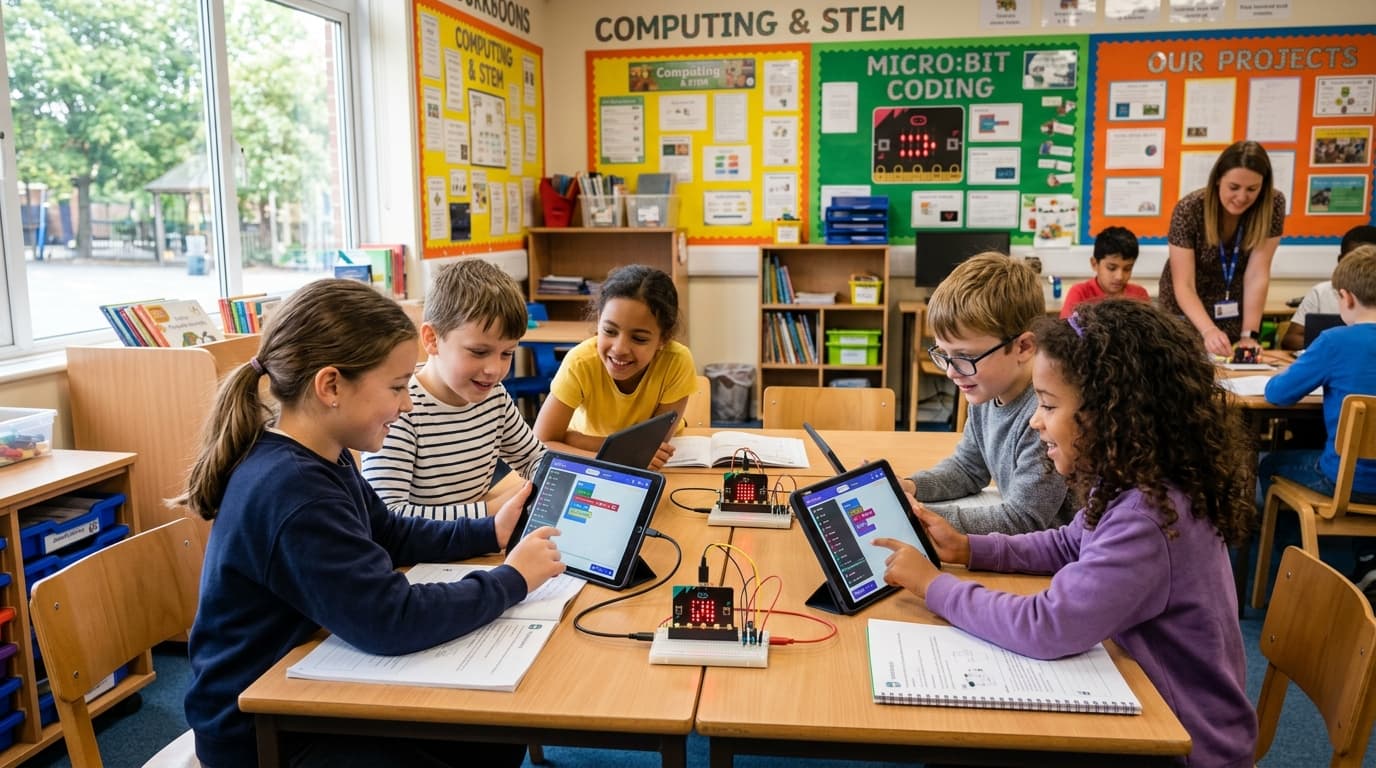
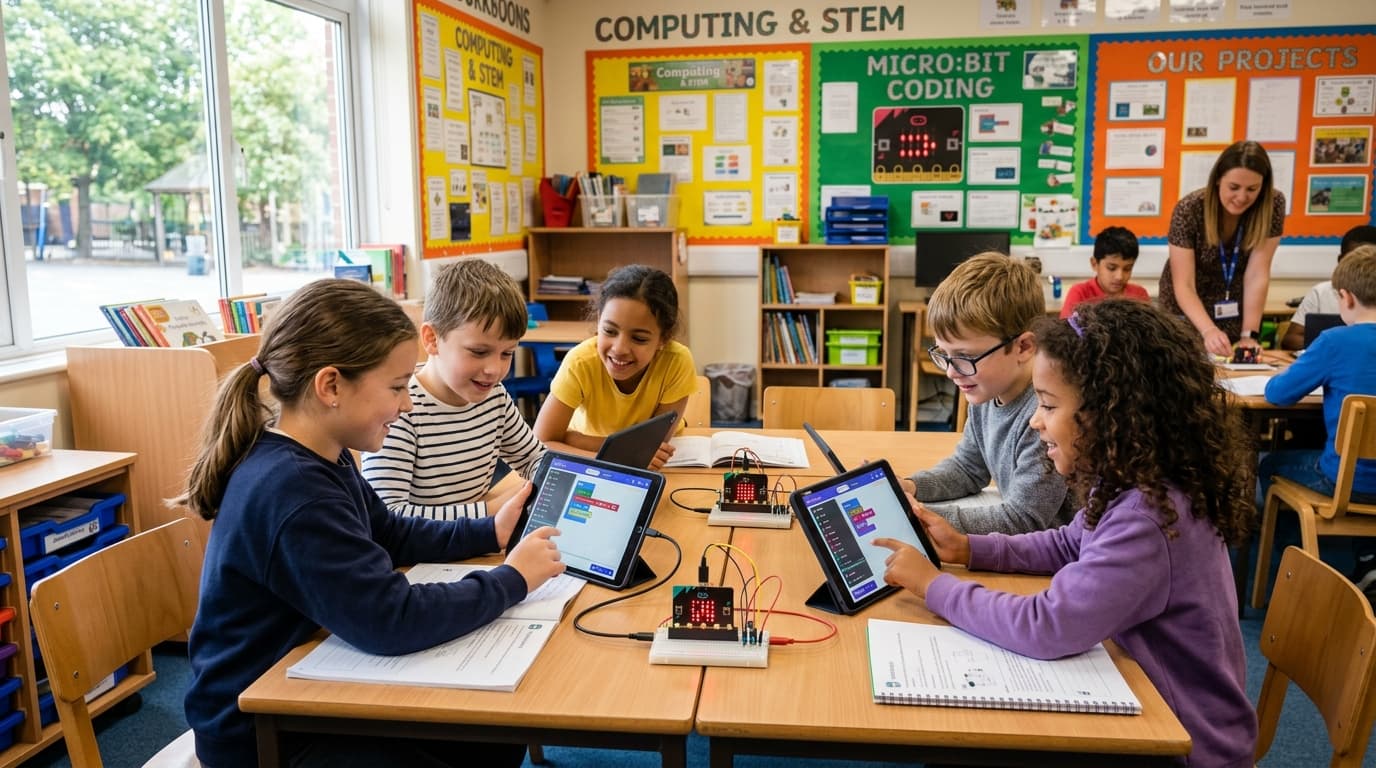
score,timer,lives,speed). - Physical Computing with BBC micro:bit: Pupils bridge the physical and virtual worlds. They program micro:bit microcontrollers using MakeCode block editors. Pupils harness onboard hardware sensors: 5x5 LED matrix displays, accelerometers (detecting shakes and tilts), light level sensors, temperature sensors, and radio communication protocols.
- Introduction to Text-Based Syntax: In Year 6, high-attaining pupils can be exposed to Python Turtle graphics or simple text scripting, learning the crucial importance of exact punctuation, quotation marks, and indentation syntax.
4. Physical Computing in the Classroom: Micro:bits and Sensory Systems
Physical computing demystifies modern digital technology. It proves to children that computers are not magical glowing screens, but physical electronic circuits that receive inputs from the environment, process data according to programmed algorithms, and produce physical outputs.
Exemplary 4-Week BBC micro:bit Physical Computing Unit (Year 5/6)
Project Title: "Smart Environmental Classroom Alert System"
Hardware Required: 1 BBC micro:bit per pupil pair, battery packs, micro-USB cables.
forever: if temperature > 24 then show icon [Flame] else show icon [Snowflake]when shake detected -> change variable [StepCount] by 1 when button A pressed -> display number [StepCount]when button A pressed -> radio send string "ALERT" on radio received string [message] -> show string [message] and flash LEDs5. Statutory Online Safety: Integrating Project EVOLVE and DfE Frameworks
Online safety must never be relegated to an isolated, once-a-year lecture on Safer Internet Day. In accordance with the Department for Education's statutory guidance "Teaching Online Safety in Schools" and "Keeping Children Safe in Education" (KCSIE), online safety must be woven into the fabric of the ongoing curriculum.
The 8 Strands of the UKCIS / Project EVOLVE Framework
Developed by the UK Council for Internet Safety (UKCIS) and the South West Grid for Learning (SWGfL), Project EVOLVE provides a developmental progression across eight distinct themes:
Implementing Critical Media Evaluation: The "S.T.O.P. & Check" Protocol for KS2
As generative artificial intelligence and synthetic media become ubiquitous, teaching children to evaluate online authenticity is a core safeguarding priority. Teach pupils the S.T.O.P. verification heuristic when browsing the web:
6. Comprehensive KS1 & KS2 Progression Map: Computing Concepts
To guarantee high standards across a primary school, subject leaders must implement an explicit progression map detailing conceptual growth from Year 1 to Year 6.
| Year | Programming & Algorithms | Computer Systems & Networks | Creating Media & Data | Online Safety & Society |
|---|---|---|---|---|
|
Year 1
|
- Directional floor robot moves - Clear unambiguous commands - Basic sequence prediction
|
- Recognising technology in the school and wider community. - Input devices (mice, screens)
|
- Digital painting and freehand drawing tools on touchscreens. - Saving and opening work files.
|
- Recognising how tech makes us feel happy/sad - Asking permission.
|
|
Year 2
|
- ScratchJr block sequences - Triggering events (taps) - Debugging broken paths
|
- Digital camera hardware - Identifying parts of a desktop computer (keyboard, screen).
|
- Digital photography (framing, lighting, portrait vs landscape - Basic text formatting (caps).
|
- Identifying personal information (names, addresses, schools).
|
|
Year 3
|
- Scratch 3.0 stage & sprites - Counted loops (repeat X) - Sequencing audio effects
|
- Connecting digital devices - Understanding how inputs turn into on-screen outputs.
|
- Stop-frame animation projects - Branching databases (binary identification classification)
|
- Password security; respectful comments in shared platforms.
|
|
Year 4
|
- Repetition with conditions - Sensory collision triggers - Step-by-step code tracing
|
- The World Wide Web vs Internet - Routers, cables, web servers - Understanding URL structures
|
- Audio editing and podcasting - Flat-file databases (filtering and ordering search records).
|
- Managing online friendships; spotting sponsored advertising.
|
|
Year 5
|
- Variables (score, lives) - micro:bit physical inputs - Decomposition of game logic
|
- Search engine web crawlers - PageRank and ranking algorithm - Data packets and bandwidth.
|
- Vector graphics (layering) | - Multi-cell spreadsheets with SUM and AVERAGE formulas.
|
- Screen time balance; identifying cyber- bullying bystanders.
|
|
Year 6
|
- Nested loops and booleans - Radio networking protocols - Python turtle syntax primer
|
- The Internet of Things (IoT) - Cyber security fundamentals - Identifying phishing vectors.
|
- Web design (HTML/CSS tags) - 3D modelling and CAD design - Complex multi-page simulations.
|
- Synthetic media & AI; digital footprints; intellectual property.
|
7. Assessment of Computing Mastery: Formative, Diagnostic, and Evaluative
Assessing computing mastery presents unique traps. Teachers must never grade a computing project simply on whether the finished game is entertaining or visually flashy. Often, a pupil copies an entire complex script from a tutorial without understanding a single line of logic.
Authentic computing assessment probes the pupil's internal mental model through targeted diagnostic questioning and code explanation.
High-Impact Formative Assessment Strategies
- Code Comprehension Questions: Before letting pupils run a program, ask: "If I press the Space Bar three times, what will the value of the
Pointsvariable be?" This tests whether the pupil can mentally simulate script execution. - Intentional Bug Injections (The Debugging Challenge): Provide pupils with an almost-complete program that contains a subtle, deliberate logical error (e.g., an incorrect coordinate sign, or an
ifstatement placed outside aforeverloop). Assess whether pupils can systematically isolate the bug rather than guessing randomly. - Parson's Problems: Present pupils with all the necessary code blocks to accomplish a goal, but scrambled in random order. Pupils must arrange the blocks into the correct logical sequence. This isolates computational logic without burdening the student with block selection mechanics.
Diagnostic Coding Assessment Rubric (Years 3-6)
| Skill Dimension | Developing Competence | Secure Mastery |
|---|---|---|
|
Algorithmic Design
|
Requires step-by-step guidance to assemble basic sequences.
|
Independently decomposes a game challenge | into modular sub-tasks before coding.
|
|
Code Reading & Tracing
|
Cannot explain why code works; relies on random trial and error.
|
Accurately predicts code output and traces execution paths block by block.
|
|
Systematic Debugging
|
Erases entire scripts when an error occurs; becomes frustrated.
|
Uses console logs or visual speech bubbles to isolate erroneous variables and loops.
|
|
Vocabulary Usage
|
Uses vague terms ("the box thing" or "make it do that").
|
Uses precise technical terminology (e.g., selection, variable, iteration).
|
8. Inclusion, SEND Adaptations, and Assistive Technology in Computing
Computing is a uniquely democratising discipline. When appropriately scaffolded, children with complex special educational needs and disabilities (SEND) often thrive in computing, discovering an environment governed by predictable logic and immediate visual feedback.
Adaptations for Specific Learning Needs
- Motor Control & Physical Access: Pupils with dyspraxia or fine motor impairments struggle with mouse drag-and-drop mechanics. Provide rollerball mice, high-visibility large-key keyboards, or touchscreen interfaces. Scratch 3.0 supports full keyboard navigation extensions.
- Cognitive Load & Working Memory: Block-based palettes can visually overwhelm autistic learners or children with ADHD. In Scratch, use the zoom tool to isolate a single sprite script, or provide printed laminated "code recipe cards" so pupils don't have to repeatedly switch browser tabs.
- Visual Impairments: Utilize physical tactile coding kits such as Code Jumper (developed by Microsoft and APH), where blocks are tangible plastic pods connected with physical cables, allowing children with severe visual impairments to construct complex code loops kinesthetically and audibly.
- English as an Additional Language (EAL): Block coding is inherently iconographic. In Scratch, switch the language menu to the pupil's home language (e.g., Ukrainian, Arabic, Polish) to allow initial conceptual grasp before transitioning to English coding syntax.
9. Preparing for an Ofsted Computing Subject Deep Dive
During an Ofsted subject deep dive into computing, inspectors focus heavily on curriculum breadth, sequence, and pupil retention. Common deep dive questions and strategic leadership responses include:
Question 1: *"How do you ensure you are teaching computer science, not just digital arts and typing?"*
Strategic Response: "Our curriculum follows a discrete, sequenced progression across all three National Curriculum strands. We use the NCCE framework where computer science concepts such as algorithms, variables, and networks are taught explicitly. Every coding unit begins with unplugged algorithmic reasoning and PRIMM code analysis before any freeform media creation occurs."
Question 2: *"How do you know pupils remember computing concepts year-on-year?"*
Strategic Response: "We use low-stakes retrieval practice at the start of every lesson, revisiting previous year groups' core concepts. For instance, in Year 5 when we introduce variables, we explicitly review Year 3 repetition loops and Year 4 conditional selection. Our spiral curriculum revisits programming constructs across different contexts: moving from Scratch block animations to micro:bit physical sensors."
Question 3: *"How is online safety managed across the school community?"*
Strategic Response: "Online safety is mapped through the 360 Degree Safe and Project EVOLVE frameworks across eight developmental themes. We teach discrete online safety lessons every half term, reinforced dynamically whenever pupils access digital devices. Staff complete annual KCSIE online safety training, and parental newsletters regularly share guidance on emerging apps, privacy configurations, and age ratings."
10. Frequently Asked Questions (Primary Computing Leadership)
Should we teach Python in primary school?
While the National Curriculum does not mandate text-based programming in primary school, introducing simple Python (particularly via Python Turtle or micro:bit Python editors) at the end of Year 6 provides valuable transition scaffolding for secondary Key Stage 3 computing. However, this should only occur once block-based algorithmic concepts (loops, conditionals, variables) are fully mastered.
How can a school manage limited tablet or laptop hardware?
Adopt the industry-standard software engineering practice of Pair Programming. Pupils work in pairs with one designated as the "Driver" (controlling the mouse and keyboard) and the other as the "Navigator" (reading the algorithm plan, spotting syntax bugs, and directing strategy). Roles swap every 10 to 15 minutes upon an audible timer bell. Research demonstrates that pair programming significantly increases problem-solving resilience and reduces teacher intervention requests.
Which free curriculum resources are best for UK schools?
The two premier, free, fully-resourced curricula in England are:
- Teach Computing (NCCE): Created by the National Centre for Computing Education, funded by the DfE. Complete unit slides, lesson plans, pupil worksheets, and formative assessments from Year 1 to Year 6.
- Barefoot Computing (BT / Computing at School): Outstanding cross-curricular, unplugged computational thinking resources and early years lesson packs.