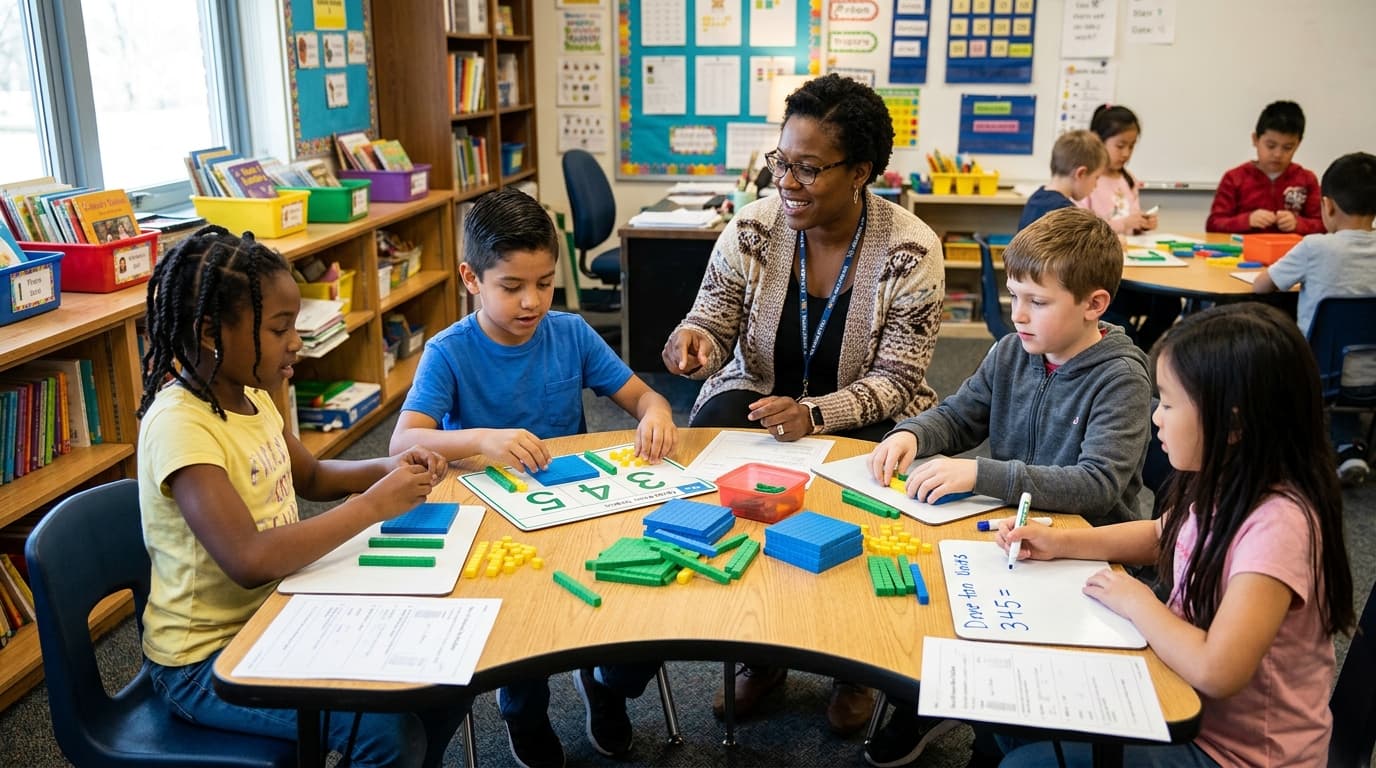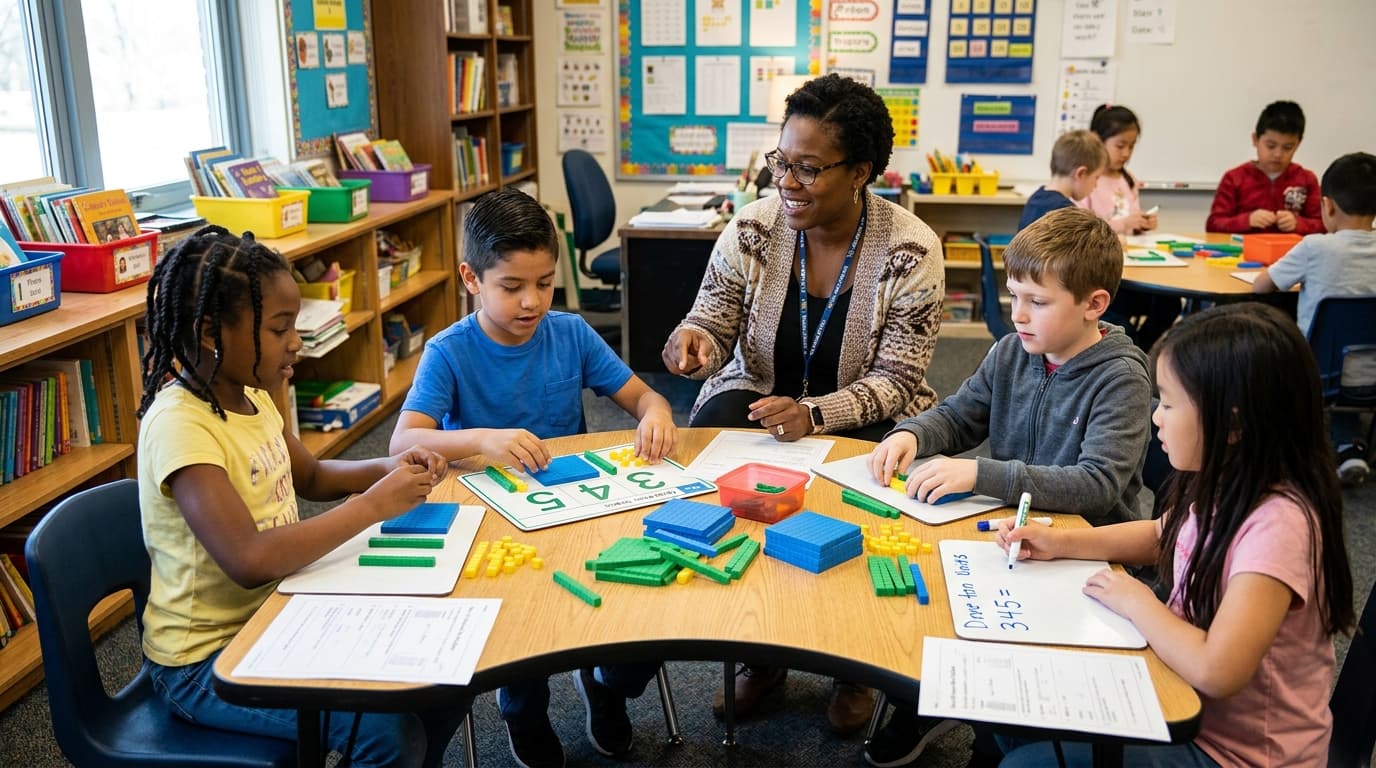
How to Use Universal Design for Learning (UDL) Guidelines to Eliminate Instructional Barriers
In traditional elementary instructional planning, teachers design lessons for a mythical creature known as the "Average Student". Curricula are written with the assumption that all 8-year-olds can sit still for 30 minutes, read standard grade-level text, process auditory lectures, and express their understanding through identical written worksheets.
When diverse learners—students with dyslexia, ADHD, autism, physical disabilities, trauma, or multilingual backgrounds—struggle under this one-size-fits-all model, schools traditionally treat the child as the problem. Special accommodations are awkwardly retrofitted, aides hover over desks, and students feel isolated and labeled.
Universal Design for Learning (UDL), developed by CAST (the Center for Applied Special Technology), completely inverts this paradigm. UDL posits a profound truth: The student is not disabled; the curriculum is disabled.
Just as an architect builds ramps, automatic doors, and curb cuts into a building from the initial blueprint—benefiting wheelchair users, parents with strollers, and delivery workers alike—an elementary teacher proactively designs multiple pathways of learning into the core lesson architecture from day one.
This comprehensive guide delivers an authoritative implementation manual for applying the three UDL principles across elementary classrooms to eliminate instructional barriers and empower all learners.
Table of Contents
- 1. Theoretical Foundations: Cognitive Neuroscience and Curriculum Architecture
- 2. The Three UDL Brain Networks and Core Guidelines
- 3. Step-by-Step Guide: Designing a UDL-Aligned Elementary Lesson
- Step 1: Identify and Remove Inherent Curriculum Barriers
- Step 2: Provide Multiple Means of Representation (The "What" of Learning)
- Step 3: Provide Multiple Means of Action and Expression (The "How" of Learning)
- Step 4: Provide Multiple Means of Engagement (The "Why" of Learning)
- Step 5: Co-Construct Flexible Rubrics and Success Criteria
- Step 6: Cultivate Expert, Self-Directed Learners Through Metacognition
- 4. Complete Worked UDL Lesson Plan: 3rd Grade Social Studies & Geography
- 5. The Elementary UDL Lesson Planning Audit Matrix
- 6. High-Tech vs. Low-Tech UDL Scaffolding Solutions
- 7. Differentiating Assessment Without Lowering Academic Rigor
- 8. Overcoming Common Misconceptions About UDL
- 9. Digital Accessibility, Screen Readers, and AI Scaffolds
- 10. Frequently Asked Questions (FAQ)
- 11. Action Plan for Elementary Educators
- 12. Scholarly References and CAST Guidelines Literature
- 13. Related Teaching Resources and Inclusive Design Tools
1. Theoretical Foundations: Cognitive Neuroscience and Curriculum Architecture
Developed by Dr. David Rose and Anne Meyer at CAST, Universal Design for Learning is grounded in functional neuroimaging demonstrating that human brains are as unique as fingerprints. There is no such thing as an "average brain."
When elementary instruction relies on single sensory pathways (e.g., exclusively reading print text or exclusively listening to teacher lectures), predictable segments of students are systematically excluded. UDL designs lessons that activate multiple neural networks simultaneously, allowing every child to access high-level content.
2. The Three UDL Brain Networks and Core Guidelines
CAST organizes UDL around three interconnected brain networks:
3. Step-by-Step Guide: Designing a UDL-Aligned Elementary Lesson
Step 1: Identify and Remove Inherent Curriculum Barriers
Before planning activities, ask: "What barriers in my materials or environment could prevent students from mastering this standard?"
- Is the text font too small?
- Does the assignment demand heavy handwriting when handwriting is not the assessed standard?
- Does the task assume background cultural knowledge that multilingual students lack? Proactively dismantle these barriers in your lesson blueprint.
Step 2: Multiple Means of Representation (The "What")
Never deliver information in only one format:
Lesson Planner
Generate comprehensive, CAPS-aligned lesson plans in seconds.
- Pair printed text with digital text-to-speech audiobooks.
- Supplement verbal explanations with visual anchor charts, diagrams, and physical tactile models.
- Pre-teach academic vocabulary with visual icons and bilingual cognates.
Step 3: Multiple Means of Action & Expression (The "How")
Provide students with flexible pathways to demonstrate their learning. If the target standard assesses scientific comprehension of ecosystems:
- Option A: Write an explanatory paragraph.
- Option B: Record a 2-minute video newscast on an iPad.
- Option C: Build an illustrated food-web diorama with labeled index cards.
- Option D: Deliver an oral presentation to the teacher during conferencing. All four options evaluate the exact same scientific standard with equal rigor, but eliminate the motor or language bottleneck.
Step 4: Multiple Means of Engagement (The "Why")
Foster intrinsic motivation by providing meaningful autonomy:
- Allow students to choose their learning environment (desk, standing desk, carpet with clipboard).
- Connect learning to authentic real-world inquiries and community problem-solving.
- Embed visual progress trackers and self-reflection rubrics.
Step 5: Co-Construct Flexible Rubrics
When evaluating student work, grade the standard concept, not the delivery vehicle. Design rubrics that evaluate the depth of ideas, evidence, and accuracy, regardless of whether the student submitted a typed essay, a physical poster, or an audio recording.
Step 6: Cultivate Expert, Self-Directed Learners
Teach students to self-assess their own learning preferences: "Do you learn this concept better by listening to the audio, reading the text, or watching the demonstration video? Choose the pathway that works best for your brain today."
4. Complete Worked UDL Lesson Plan: 3rd Grade Geography
1. Engagement (The Why)
- Hook: Display real satellite photographs of a desert community (Phoenix) and an island community (Venice). Ask: "How does living in a desert change the houses you build and the clothes you wear?"
- Choice: Students choose whether to investigate Desert, Mountain, or Island communities for their case study.
2. Representation (The What)
- Students explore their chosen geographic region using a multi-modal learning station:
- Station A: Laminated informational text with highlighted key terms and color photos.
- Station B: Digital interactive map on Chromebook with text-to-speech screen reader.
- Station C: 3-minute National Geographic Kids video clip with closed captioning.
3. Action and Expression (The How)
- To prove understanding of how geography impacts communities, students select one demonstration vehicle:
- Option 1 (Written): Write a 4-sentence postcard from a traveler visiting that region.
- Option 2 (Visual/Oral): Sketch a labeled architectural map showing human adaptations and record an oral explanation on Seesaw.
- Option 3 (Tactile): Build a diorama using clay and recycled materials accompanied by 3 written index card captions.
5. The Elementary UDL Lesson Planning Audit Matrix
| UDL Principle | Core Question for Lesson Design | Low-Tech Classroom Solution | High-Tech Digital Solution |
|---|---|---|---|
|
Representation
|
How will students perceive and comprehend the content?
|
Printed graphic organizers, anchor charts, physical manipulatives
|
Text-to-speech software, closed-captioned videos, digital audiobooks
|
|
Action & Expression
|
How can students demonstrate their mastery?
|
Choice between writing, drawing, or oral conferencing
|
Speech-to-text dictation, digital slide decks, video recording apps
|
|
Engagement
|
How will students sustain focus and motivation?
|
Flexible seating options, partner discourse, self-monitoring checklists
|
Gamified adaptive quizzes, student-paced digital modules
|
6. Overcoming Common Misconceptions About UDL
7. Frequently Asked Questions (FAQ)
How is UDL different from Differentiated Instruction?
Differentiated Instruction is typically a reactive strategy where a teacher modifies lessons after noticing that specific students are struggling. UDL is proactive: barriers are anticipated and universal supports are built into the initial lesson blueprint before students even walk through the door.
8. Action Plan for Elementary Practitioners
- Tomorrow: Add closed captions to all classroom video clips and provide text-to-speech options.
- This Week: Offer students two distinct ways to complete your Friday reading or science assessment (written vs. oral/visual).
- This Month: Audit your classroom library and materials to eliminate visual and physical learning barriers.
9. Scholarly References and CAST Guidelines Literature
- CAST. (2018). Universal Design for Learning Guidelines version 2.2. CAST.
- Rose, D. H., & Meyer, A. (2002). Teaching Every Student in the Digital Age: Universal Design for Learning. ASCD.
- Meyer, A., Rose, D. H., & Gordon, D. (2014). Universal Design for Learning: Theory and Practice. CAST Professional Publishing.
- Novak, K. (2016). UDL Now!: A Teacher's Guide to Applying Universal Design for Learning in Today's Classrooms. CAST Professional Publishing.
10. Related Teaching Resources and Inclusive Design Tools
- International Teaching Resources Hub — Explore our complete collection of international inclusive education guides.
- AI Lesson Planner — Generate UDL-aligned multi-modal lesson plans and differentiated classroom activities.
- AI Rubric Creator — Build flexible, standards-aligned assessment rubrics that accommodate diverse expression formats.
8. Complete End-to-End UDL Lesson Plan: Grade 3 Math (Equivalent Fractions)
To see UDL translated into an actionable daily lesson, examine this complete 60-minute Grade 3 mathematics plan structured through the CAST UDL Guidelines 3.0:
Lesson Overview & Core Standard
- Target Standard: CCSS.MATH.CONTENT.3.NF.A.3: Explain equivalence of fractions in special cases, and compare fractions by reasoning about their size.
- Firm Goal: All students will identify, generate, and justify whether two fractions are equivalent using visual, tactile, or symbolic models.
- Flexible Path: Students may choose between digital fraction strips, concrete foam fraction circles, or grid-paper area models to demonstrate mastery.
Phase 1: Engagement & Anticipatory Set (15 Minutes)
- Universal Hook: Present a real-world scenario on the interactive board with audio voice-over: "Two friends order identical 8-slice pizzas. Carlos eats 4 slices. Maya orders a 4-slice personal pizza and eats 2 slices. Who ate more pizza?"
- Choice of Exploration:
- Option A: Manipulate physical pizza cutouts with velcro slices.
- Option B: Use digital fraction bar simulation (PhET Interactive Simulations) on classroom tablets.
- Option C: Draw partitioned area models on whiteboards with dry-erase markers.
- SEL & Motivation: Students rate their personal confidence level with a silent thumb gauge (thumb up, sideways, or down) to normalize varying comfort levels with fractional concepts.
Phase 2: Representation & Guided Inquiry (20 Minutes)
- Multimodal Explanations:
- Visual: Color-coded fraction wall showing $ rac{1}{2} = rac{2}{4} = rac{4}{8} = rac{3}{6}$.
- Auditory: Rhythmic call-and-response chant emphasizing numerator (parts counted) and denominator (total equal parts).
- Kinesthetic: Students physically walk on an 8-foot painter's tape number line on the classroom floor, pausing at the halfway benchmark.
- Embedded Scaffolding & Vocabulary Support:
- Pre-taught terms (numerator, denominator, equivalent, benchmark) displayed on a tactile bilingual word wall with visual icons and audio QR code pronunciation cards.
- Highlighting key features: The word equal is underlined in equivalent with neon green highlighter to reinforce conceptual etymology.
Phase 3: Action & Expression (Mastery Demonstration) (20 Minutes)
Students select one of three tiered demonstration options to prove understanding:
- The Architectural Blueprint (Visual/Spatial): Create an illustrated poster of a community playground where $ rac{2}{4}$ of the park is grass, and another zone of identical size is partitioned into $ rac{4}{8}$ gravel. Label mathematical equivalence with full justification.
- The Video Math Podcaster (Verbal/Auditory): Use the classroom tablet recording booth (Flip/ScreenPal) to record a 90-second video explaining why $ rac{3}{6}$ is equivalent to $ rac{1}{2}$, showing manipulative models on screen while speaking.
- The Written Mathematical Proof (Symbolic/Textual): Complete a tiered problem-solving investigation packet featuring structured sentence frames, open number line mappings, and numerical comparison equations.
Phase 4: Closure & Metacognitive Reflection (5 Minutes)
- Self-Assessment: Students complete an exit slip answering two metacognitive questions:
- "Which learning tool (physical circles, digital bars, or grid sketches) helped your brain understand fraction size best today, and why?"
- "What is one question you still have about fractions before tomorrow's lesson?"
9. Comprehensive UDL Environmental & Curriculum Audit Rubric
Use this comprehensive diagnostic rubric during collaborative grade-level PLCs to evaluate whether upcoming units are truly universally designed or laden with unintentional barriers:
| UDL Principle | Beginning (Score 1) | Developing (Score 2) | Exemplary UDL Practice (Score 3) |
|---|---|---|---|
|
Multiple Means of Engagement
|
One single reward or grading carrot used; passive lecture format; zero learner choice in tasks.
|
Occasional choice of partner or seat; sporadic real-world connections; limited autonomy.
|
Authentic problem-based learning; systematic choice of task, tool, and working environment; continuous self-assessment loops.
|
|
Multiple Means of Representation
|
Textbook print only; teacher lectures without visual aids or closed captions.
|
Textbook accompanied by slides; some vocabulary pre-taught; limited sensory modalities.
|
Full digital text accessibility (text-to-speech, font sizing); graphic organizers provided for all; concepts explained across tactile, auditory, and visual media simultaneously.
|
|
Multiple Means of Action & Expression
|
All students must complete the exact same written test or standard worksheet.
|
Choice between an essay or an oral presentation; limited rubrics; inflexible timing.
|
Multiple authentic assessment pathways; clear analytic rubrics provided upfront; executive functioning checklists and planning guides integrated into all projects.
|
|
Physical & Digital Environment
|
Fixed forward-facing desks; restricted tool access; noisy acoustic environment.
|
Some flexible seating; materials stored in labeled bins; sporadic digital access.
|
Dynamic learning zones (quiet focus zone, collaborative hub, sensory calm nook); barrier-free material access; universal digital assistive tools enabled on all devices.
|
10. Assistive Technology Integration Matrix for General Education
Implementing UDL does not require costly enterprise software. The table below outlines high-impact, freely accessible assistive technology tools that benefit all learners when embedded universally:
| Tool & Platform | Primary UDL Guideline Addressed | Universal Classroom Application | How to Normalize Usage Without Stigma |
|---|---|---|---|
|
Read&Write / Immersive Reader (Chrome / Edge / Windows)
|
Guideline 1: Perception (Text-to-Speech, Screen Masking, Picture Dictionary)
|
Reading digital articles, science passages, and complex online math word problems.
|
Model using the tool during whole-group instruction on the interactive screen so all students view it as a productivity booster.
|
|
Speech-to-Text / Voice Typing (Google Docs / Microsoft Word)
|
Guideline 5: Expression & Communication (Transcription, overcoming dysgraphia)
|
Drafting essays, journal entries, and recording initial brainstorming ideas.
|
Establish a dedicated "Voice Dictation Station" equipped with noise-canceling headphones for any student during writing workshop.
|
|
Canva / Google Slides
|
Guideline 5: Expression & Communication (Visual storytelling, diagramming)
|
Creating visual infographics, comic strip timelines, and multimodal presentations.
|
Provide pre-built graphic templates with built-in accessibility checkers and contrast guidelines.
|
|
Goblin.tools / Task Breakdown AI
|
Guideline 6: Executive Functions (Task decomposition, time estimation)
|
Breaking complex multi-week research projects into bite-sized 15-minute daily checklists.
|
Walk through task breakdown tools collaboratively during Monday morning planning sessions.
|